


Data loss often starts the same way. Everything appears normal until a laptop stops turning on, a folder disappears, a phone is reset, an external drive fails, or a system problem removes access to important files.
In Qatar homes and offices, that can affect family photos, school documents, work files, finance records, client information, and project folders. The technical problem is stressful, but the harder moment is often realizing that the backup was missing, incomplete, too old, or never tested.
The best time to protect data is before a device fails. The second-best time is before taking another step that could make recovery harder.
Why data loss happens more often than expected
Most everyday data loss cases do not begin with a complex cyberattack. They usually come from ordinary situations that people do not expect to become serious.
- A laptop or desktop suddenly stops working
- Files are deleted by mistake
- A phone is reset before everything is copied
- An external drive fails without warning
- A system update or format is done incorrectly
- Files are saved across too many devices and accounts
The risk increases when important files live in only one place. A single device, a single external drive, or a single cloud account can still become a weak point. If nobody knows where the latest copy is, the setup is not reliable yet.
Common backup mistakes
The biggest misconception is that saving a file somewhere else automatically means it is backed up. Cloud storage, external drives, and shared folders can help, but they do not guarantee protection on their own.
Cloud sync is not the same as a complete backup. If a file is deleted on one synced device, it may disappear everywhere. If an account is locked, the files may be difficult to access. If only part of the device is backed up, the missing folders may be the ones that matter most.
Common backup mistakes include:
- Saving files to one external drive and calling it a backup
- Depending on automatic sync without checking what is included
- Keeping old backups but never creating recent ones
- Losing account passwords or recovery options
- Backing up documents but forgetting photos, messages, or work folders
- Never testing whether files can actually be restored
A backup is useful only when it is complete, recent, and accessible when something goes wrong.
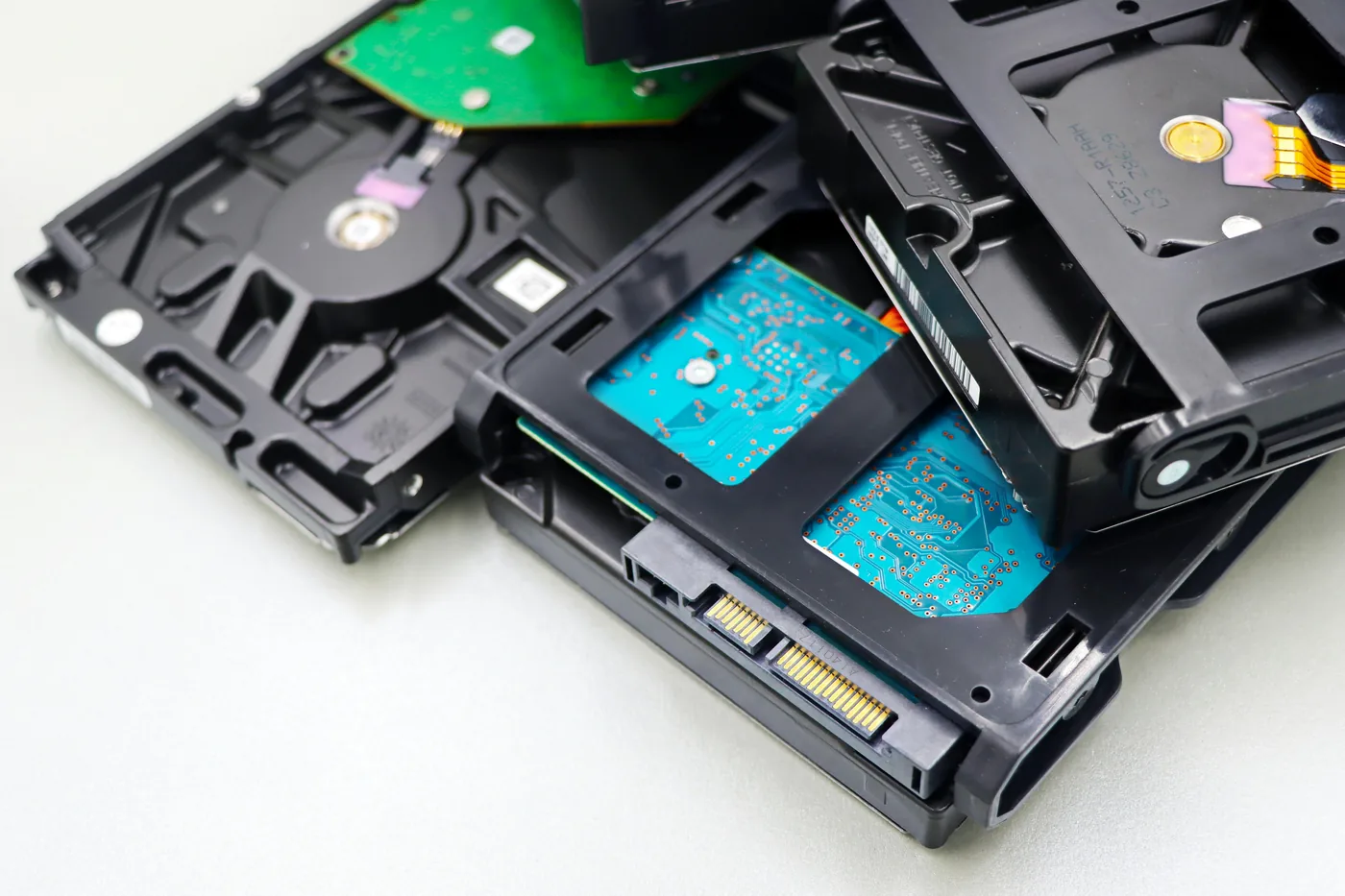
Real data-loss situations in Qatar
Data loss is not always dramatic at first. It can begin with a normal device problem that becomes serious because the only copy of the file was on that device.
The laptop that never turned back on
A laptop may fail suddenly because of hardware damage, overheating, age, power issues, or storage failure. If all work files were stored locally, the device problem becomes a data problem.
The folder that was deleted by mistake
Accidental deletion is common. A folder may be removed during cleanup, moved to the wrong place, or overwritten by a newer version. Without previous versions or a separate backup, recovery becomes harder.
The phone that was reset or replaced
Photos, contacts, messages, authenticator apps, and documents can disappear when a phone is reset or replaced before everything is copied correctly. This is especially stressful when account recovery details are also stored on the same phone.
The external drive that failed
An external drive can feel like a safe backup, but it is still one device. If it is the only extra copy, a drive failure can remove the backup at the moment it is needed.
How to check your current protection
Start by identifying what would be painful to lose. That usually includes documents, family photos, business files, client data, school files, passwords, and important communication records.
Then check where those files currently live.
- Are the files on one device only?
- Are they copied to another local device?
- Are they stored in a cloud account?
- Are the cloud folders actually syncing?
- Can you access the account from another device?
- Do you know when the last backup happened?
- Have you restored a test file recently?
If any answer is unclear, the backup setup needs attention. The goal is not to make the system complicated. The goal is to know what is protected and how quickly it can be recovered.
Why people delay backup setup
Most people do not ignore backup intentionally. They delay it because everything is working today, the setup feels technical, and there is no urgent pressure until something goes wrong.
Common reasons include:
- It feels like a task that can wait
- The device still works normally
- The cloud account looks active, so people assume everything is covered
- Family or team members are not sure who is responsible
- Nobody has tested a restore before
This is why prevention should be simple. The easier the backup habit is, the more likely it is to continue.
What a reliable backup setup looks like
A practical backup setup has more than one layer. It should protect against device failure, accidental deletion, account issues, and simple human error.
A reliable setup usually includes:
- More than one copy of important data
- Copies stored in different places
- Automatic backups where possible
- Clear folder organization
- Secure account access
- Regular checks that confirm files can be restored
For many Qatar homes and offices, a simple mix of local storage and cloud backup is enough. The important part is consistency. A backup that depends on memory is easy to forget.

A practical prevention approach
Start with the files that matter most. Do not try to rebuild every habit in one day.
- Identify essential files, photos, documents, and work folders.
- Put them in clear folders so the backup includes the right data.
- Use more than one location, such as local storage plus cloud storage.
- Automate the backup where possible.
- Test access from another device.
- Keep account recovery details secure and available.
For teams, assign responsibility clearly. Someone should know what is backed up, where it is stored, how often it updates, and how to recover a file when needed.
What to do when data is already missing
If files are already missing, avoid rushing into random recovery tools. Some actions can reduce the chance of recovery.
Do not keep using a failing drive more than necessary. Do not format a device unless you understand the consequences. Do not install recovery software on the same drive that contains the lost data. Do not keep copying new files onto a device that may contain deleted data.
If the files are important, stop and get advice before making the situation worse. A careful assessment can help separate simple missing-file cases from more serious device, drive, or account problems.
When professional assessment matters
Professional recovery is not always required, and recovery is never guaranteed. It depends on the device, the type of damage, whether the data was overwritten, and what happened after the issue was noticed.
Assessment matters when:
- The device makes unusual sounds or will not power on
- The drive asks to be formatted
- Important files were deleted and the device is still in use
- A phone was reset before photos or messages were copied
- Business or client files are affected
- You are unsure which recovery action is safe
Wezatech can help review the situation, explain realistic options, set up safer backup habits, and recommend the next step. The goal is not to promise recovery. The goal is to protect important data and avoid making a difficult situation worse.
Technology should protect what matters. When a backup plan is clear, device problems become manageable instead of stressful.