
IT infrastructure affects how smoothly a business works every day. Slow systems, unstable networks, outdated software, overloaded storage, weak security, and unclear backup routines can all reduce productivity.
For Qatar offices, schools, startups, and organizations, optimization should not mean buying every new tool. It means understanding the current setup, fixing bottlenecks, improving security, planning capacity, and making systems easier to maintain.
This guide explains what IT infrastructure includes and how to improve it in a practical, staged way.
What IT infrastructure means
IT infrastructure is the foundation that supports daily digital work. It can include:
- Computers and laptops
- Servers or shared storage
- Cloud services
- Business software
- Email and collaboration tools
- Routers, switches, WiFi, and internet connections
- Printers and shared devices
- Security tools
- Backup systems
- User accounts and permissions
When this foundation is well organized, people work faster and problems are easier to diagnose. When it is messy, even good tools can feel unreliable.
What IT infrastructure optimization means
Optimization is the process of improving performance, reliability, security, and scalability. It looks at the whole environment rather than one device in isolation.
Good optimization may include:
- Replacing outdated hardware
- Cleaning up unused software
- Improving network performance
- Reviewing cloud tools and storage
- Strengthening passwords and access
- Updating systems regularly
- Planning backups and recovery
- Creating clearer support routines
The goal is a setup that supports current work and future growth without unnecessary complexity.

Start with a full assessment
Before changing systems, understand what exists today. A clear assessment prevents random upgrades and helps identify the real causes of slow or unreliable performance.
Review:
- Hardware age and condition
- Storage capacity and drive health
- Software versions and licensing
- Network speed and stability
- WiFi coverage and router placement
- Server or shared-storage usage
- Cloud storage and account ownership
- Backup status
- Security tools and access controls
- User complaints and repeated support issues
The assessment should also ask what the organization needs next. A system that works for five users may not work well for 20 users, multiple locations, or remote access.
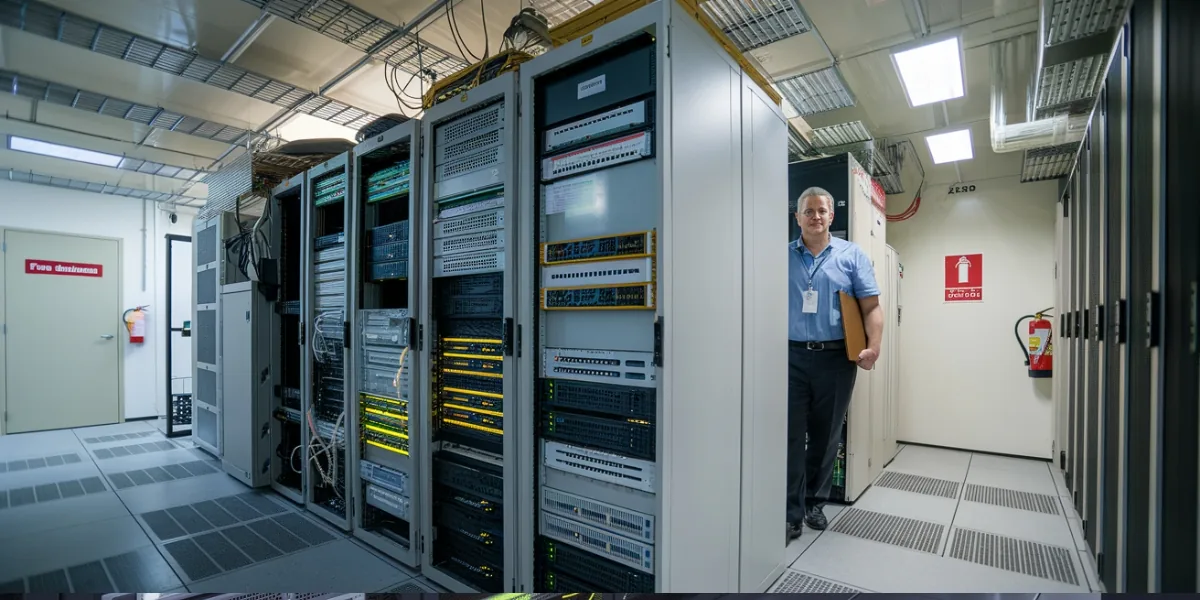
Review servers, storage, and cloud services
Servers and shared storage often carry the heaviest workload. If they are overloaded, outdated, poorly configured, or not backed up, the whole business can feel slow.
Optimization may include:
- Consolidating unused systems
- Moving suitable workloads to cloud services
- Improving shared folder structure
- Reviewing permissions
- Checking storage health
- Planning redundancy where needed
- Reducing single-device dependence
- Reviewing backup and restore options
Not every business needs a physical server. Some need cloud tools, some need a NAS, and some need a mixed setup. The right answer depends on data size, access needs, speed, security, and recovery expectations.
Keep software and systems updated
Updates improve security and stability. Old operating systems, outdated business apps, unsupported tools, and router firmware that has not been maintained can create performance and security problems.
Useful update habits include:
- Keeping operating systems current
- Updating browsers and office apps
- Removing unsupported or unused software
- Updating router and network firmware when appropriate
- Testing critical apps after major updates
- Scheduling updates outside peak working times
For teams, updates should be planned. Random updates during busy hours can interrupt work, while ignored updates can create avoidable risk.
Assess hardware before it becomes a bottleneck
Hardware affects speed, reliability, and user experience. Older computers, weak storage, insufficient memory, damaged cables, unstable power adapters, and aging network equipment can all limit performance.
Check:
- Device age and warranty condition
- SSD or hard-drive health
- RAM and processor pressure
- Battery and charger condition
- Router and switch capacity
- Printer and scanner reliability
- Cooling, dust, and ventilation
- External storage condition
Sometimes a targeted upgrade is enough. An SSD, more RAM, or a better network device may improve daily work without replacing every system. Other times, replacement is more sensible than repeated repair.
Make security part of performance
Security and performance are connected. Malware, weak passwords, outdated software, unsafe remote access, and unmanaged devices can slow systems and increase risk.
Practical security improvements include:
- Strong unique passwords
- Two-step verification where available
- Updated endpoint protection
- Regular malware checks
- Safer file-sharing rules
- Clear administrator access
- Guest WiFi where needed
- Account removal when staff or contractors leave
- Periodic security reviews
For more detail, see the related guide on protecting business data from cyber threats and hardware failures.
Plan data backup and recovery
Data protection is part of infrastructure performance. A fast system is not useful if files cannot be recovered after failure, deletion, malware, or account problems.
A practical backup plan should define:
- What data is backed up
- How often backups run
- Where copies are stored
- Who checks backup status
- How recovery is tested
- How quickly key data must be restored
- What happens if the main device or account fails
Backups should be automated where possible and tested regularly. See data backup and recovery in Qatar for deeper recovery planning.
Get professional input when the setup is growing
Professional guidance is useful when the organization has several users, mixed devices, shared files, remote access, multiple apps, a growing team, or repeated downtime.
Outside assessment can help identify:
- What should be upgraded first
- Which systems are creating delays
- Where security is weak
- Which cloud tools are suitable
- Whether the network needs improvement
- Whether backups are complete
- How to simplify support routines
This can save money by avoiding upgrades that do not solve the real problem.
Build a practical improvement plan
Do not try to fix every system at once unless there is a serious risk. A staged plan is usually easier to manage.
A sensible order is:
- Stabilize internet, network, and critical devices.
- Protect accounts and important data.
- Check backups and recovery.
- Update software and remove unsupported tools.
- Upgrade bottleneck hardware.
- Clarify file structure and permissions.
- Document support and maintenance routines.
This approach improves reliability while keeping daily work moving.
When Wezatech can help
Wezatech can help organizations in Qatar review their IT setup, identify bottlenecks, plan improvements, and keep systems easier to manage.
Relevant support may include Consultation and Training, Network and Connectivity, and ongoing care through Subscription and Maintenance Plans.
A practical conclusion
Optimizing IT infrastructure is not about chasing every new technology. It is about making the systems you depend on faster, safer, clearer, and easier to support.
Start with an honest assessment, fix the highest-impact problems first, protect data, keep systems updated, and plan capacity before growth turns into daily frustration.